
W3C Responsive Design: Standards and Best Practices for Flexible Websites
Responsive design helps a website adapt to different screen sizes, orientations, and input methods. A page should be usable on a phone, tablet, laptop, or desktop without requiring visitors to zoom, scroll sideways, or struggle with controls.
The World Wide Web Consortium (W3C) develops open web standards, including standards for HTML, CSS, and accessibility. “W3C responsive design” is not the name of a single W3C specification. Instead, responsive websites are built using web technologies and principles that align with W3C standards and guidance.
What responsive design means
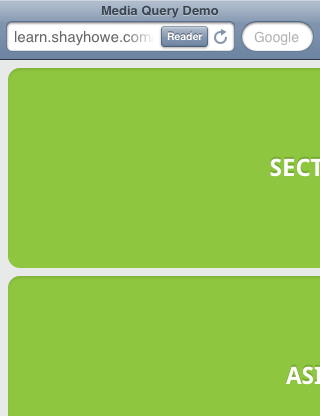
A responsive website adjusts its layout and presentation to suit the space available. For example, a multi-column layout on a wide screen might become a single column on a phone. Navigation, images, text, and interactive controls should remain readable and usable as the viewport changes.
Responsive design is different from simply shrinking a desktop page. A successful design considers how people use the site on different devices, including touchscreens, keyboards, and assistive technologies.
How W3C standards support responsive websites
W3C standards provide the foundation for websites that work consistently across browsers and devices:
- HTML gives content a meaningful structure, such as headings, navigation, forms, and articles.
- CSS controls presentation and enables flexible layouts, responsive images, and media queries.
- Web accessibility guidance, including the Web Content Accessibility Guidelines (WCAG), helps developers make content usable by people with disabilities.
Following standards does not automatically make a site responsive or accessible, but it provides a reliable basis for building and testing one.
Core techniques for responsive design
Use a flexible layout
Responsive layouts use flexible measurements rather than assuming every visitor has the same screen width. CSS Grid and Flexbox can arrange content that changes naturally as space becomes available. Relative units, such as percentages, rem, and fr, can help elements scale and reflow.
Add breakpoints where the design needs them
CSS media queries let a page apply different styles under particular conditions, such as when the viewport reaches a certain width. Breakpoints should be chosen when the content or layout needs to change, rather than based only on specific device models.
/* Base layout for smaller screens */


.content {


  display: grid;


  grid-template-columns: 1fr;


  gap: 1rem;


}


/* Add a second column when there is enough room */


@media (min-width: 48rem) {


  .content {


    grid-template-columns: 2fr 1fr;


  }


}
Set the viewport
Mobile browsers use the viewport to determine how a page is scaled. This commonly used tag tells the browser to match the page width to the device’s viewport:
<meta name="viewport" content="width=device-width, initial-scale=1">Without an appropriate viewport setting, a carefully designed mobile layout may not display as intended.
Make images and media flexible
Images should fit within their containers instead of overflowing them. A common CSS rule is:
img {


  max-width: 100%;


  height: auto;


}
For different image sizes or crops, HTML features such as srcset and <picture> can help deliver suitable images to different screen conditions.
Responsive design and accessibility
A responsive layout should preserve access to content and functionality at every size. Text should remain readable, controls should be easy to operate, and content should not become hidden or require unnecessary horizontal scrolling. Pages should also work with keyboard navigation and assistive technologies.
Accessibility is not limited to visual layout. Clear headings, descriptive link text, properly labeled form fields, sufficient color contrast, and meaningful alternative text all contribute to a better experience. WCAG provides guidance for evaluating many of these concerns.
How to test a responsive website
Testing should cover more than one phone or desktop size. Resize the browser, test common viewport widths, rotate mobile devices, and check that menus, forms, images, and tables remain usable. Also test keyboard navigation and zoom, and review the page with accessibility evaluation tools.
W3C offers tools such as the Nu HTML Checker for checking HTML markup. Validation can identify some coding errors, but it does not replace testing the finished experience across browsers, devices, and assistive technologies.
Conclusion
W3C responsive design is best understood as responsive web development built on open web standards—not as a single W3C product or rulebook. By using semantic HTML, flexible CSS, media queries, adaptable images, and accessibility guidance, developers can create websites that work well across a wide range of screens and ways of interacting.
W3C Responsive Web Design: 7 Frequently Asked Questions
- What is W3C responsive design?
- Does the W3C provide a specific responsive design standard?
- Which W3C standards and guidelines support responsive web design?
- How do CSS media queries make a website responsive?
- What is the viewport meta tag, and why is it important for responsive design?
- How can I test whether my website follows responsive design best practices?
- How does responsive design relate to web accessibility and WCAG?
What is W3C responsive design?
W3C responsive design isn’t a single tool or specification; it refers to building websites that adapt to different screen sizes and devices using open web standards. The World Wide Web Consortium (W3C) develops standards such as HTML and CSS, which support flexible layouts, media queries, and adaptable images. Responsive sites should also remain accessible and easy to use across devices, including for people who use keyboards or assistive technologies.
Does the W3C provide a specific responsive design standard?
No, the W3C does not provide a single standard specifically called “responsive design.” Instead, responsive websites are built with W3C web standards such as HTML and CSS, which include tools like flexible layouts and media queries. The W3C also publishes accessibility guidance, including WCAG, to help ensure websites remain usable for people with disabilities across devices and screen sizes.
Which W3C standards and guidelines support responsive web design?
Responsive web design is supported by several W3C standards and guidelines rather than one standalone “responsive design” standard. CSS specifications, including Media Queries, Flexbox, and Grid, provide tools for adapting layouts to different screen sizes, while HTML supports meaningful, flexible content structure. The Web Content Accessibility Guidelines (WCAG) also help ensure that content remains usable across devices and input methods, including for people with disabilities. Together, these standards provide a foundation for responsive, accessible websites.
How do CSS media queries make a website responsive?
CSS media queries make a website responsive by applying different styles when the browser’s viewport or other device conditions meet specified criteria. For example, a media query can change a three-column desktop layout into a single column on a narrow screen, adjust font sizes, or simplify navigation. By setting breakpoints where the design needs to adapt—not just for specific device models—developers can help content remain readable and usable across phones, tablets, and larger screens.
What is the viewport meta tag, and why is it important for responsive design?
The viewport meta tag tells a mobile browser how to set a page’s viewport, or visible layout area. Adding <meta name="viewport" content="width=device-width, initial-scale=1"> makes the page’s layout width match the device’s screen width and sets the initial zoom level. Without it, mobile browsers may display a page as if it were designed for a wider desktop screen, shrinking the content and making it difficult to read or use. Including the tag helps responsive CSS render as intended across devices.
How can I test whether my website follows responsive design best practices?
To test whether your website follows responsive design best practices, view it at a range of screen sizes using your browser’s responsive design tools, then check it on real phones and tablets when possible. Make sure content reflows without unnecessary horizontal scrolling, text remains readable, images fit their containers, and menus, forms, and buttons are easy to use with touch and keyboard navigation. Also test zoom, portrait and landscape orientations, and accessibility basics such as heading structure, color contrast, and form labels. Automated validators and accessibility tools can help identify issues, but they should be combined with hands-on testing across browsers and devices.
How does responsive design relate to web accessibility and WCAG?
Responsive design supports web accessibility by helping content remain readable and usable across different screen sizes, orientations, and zoom levels. However, a responsive layout alone does not guarantee an accessible website. Developers should also follow the Web Content Accessibility Guidelines (WCAG), including requirements for sufficient color contrast, keyboard access, clear focus indicators, meaningful headings, and properly labeled controls. Together, responsive design and WCAG help ensure that people can access and use a website on a range of devices and with different abilities.