
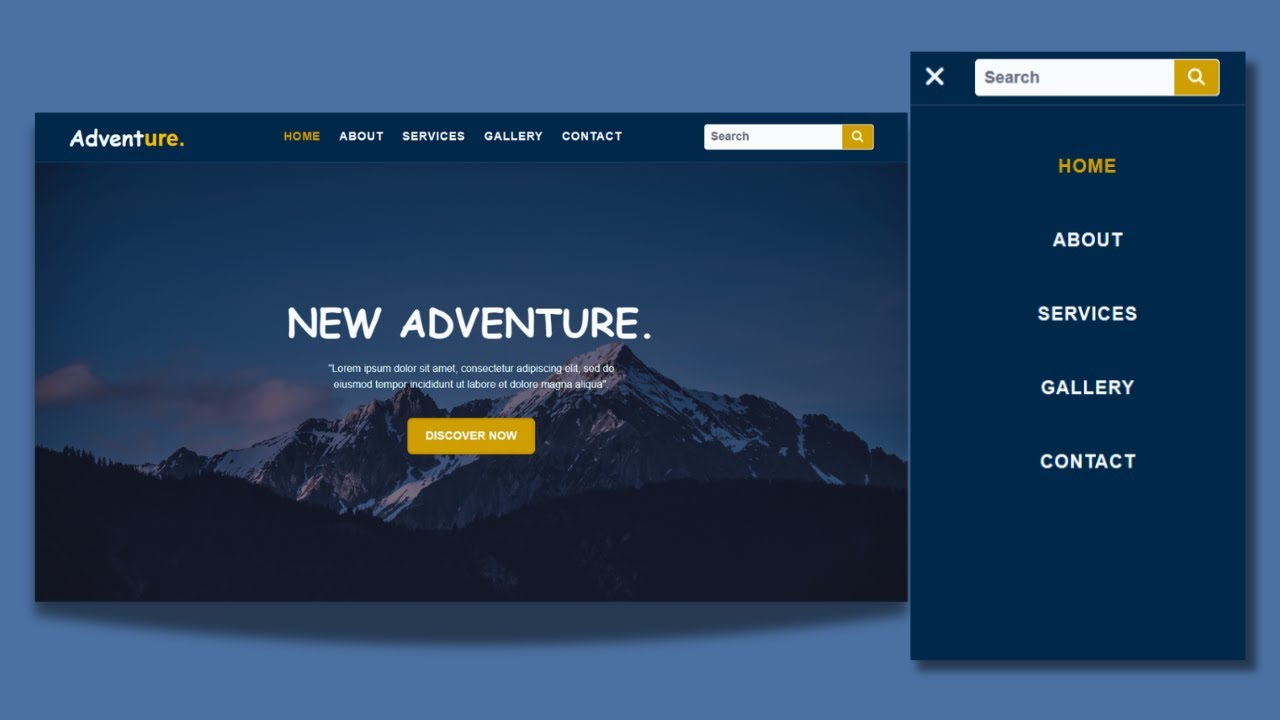
The Importance of Website Search Design
When it comes to designing a website, one crucial element that often gets overlooked is the search function. A well-designed website search can greatly enhance the user experience and help visitors find the information they are looking for quickly and efficiently.
Here are some key reasons why website search design is important:
User Experience
Having a user-friendly search function makes it easier for visitors to navigate your website and find what they need. A well-designed search bar that is prominently placed on the page can help users locate specific content without having to click through multiple pages.
Time-Saving
In today’s fast-paced digital world, people expect instant results. A robust website search design can save users time by providing accurate and relevant results quickly. This can lead to higher user satisfaction and increased engagement on your site.
Increased Conversions
An effective website search design can also lead to increased conversions. When users are able to easily find products or information they are looking for, they are more likely to take action, whether it’s making a purchase, signing up for a newsletter, or contacting your business.
Analytics and Insights
By analyzing the search queries made by users on your website, you can gain valuable insights into what your audience is looking for. This data can help you optimize your content strategy, improve product offerings, and tailor your marketing efforts to better meet the needs of your target audience.
Mobile-Friendly Design
In today’s mobile-first world, it’s essential to ensure that your website search design is optimized for mobile devices. A responsive search bar that adapts to different screen sizes and devices will provide a seamless experience for users regardless of how they access your site.
In conclusion, investing time and effort into designing an effective website search function is crucial for enhancing user experience, saving time, increasing conversions, gaining valuable insights, and ensuring mobile-friendliness. By prioritizing website search design as part of your overall web development strategy, you can create a more user-friendly and engaging online experience for your visitors.
9 Essential Tips for Effective Website Search Design
- Ensure the search bar is prominently placed on the website.
- Use a clear and concise placeholder text in the search bar.
- Provide auto-suggestions to help users refine their search queries.
- Include filters to allow users to narrow down search results.
- Display relevant results with thumbnail images for better visual presentation.
- Implement a responsive design for the search bar to ensure usability on all devices.
- Include an option for advanced search functionality for power users.
- Optimize search algorithms for speed and accuracy in retrieving results.
- Regularly analyze user search data to improve the overall search experience.
Ensure the search bar is prominently placed on the website.
To enhance user experience and make it easier for visitors to find what they are looking for, it is crucial to ensure that the search bar is prominently placed on the website. A clearly visible search bar, ideally located at the top of the page or in a consistent and easily accessible location, helps users quickly locate the search function and encourages them to use it to find specific content. By placing the search bar in a prominent position, you can improve usability, increase engagement, and ultimately create a more efficient and user-friendly browsing experience for your website visitors.
Use a clear and concise placeholder text in the search bar.
When designing a website search bar, it is essential to use a clear and concise placeholder text. The placeholder text serves as a prompt for users, guiding them on what to type in the search bar. By using straightforward language and providing specific instructions or examples in the placeholder text, you can help users understand how to use the search function effectively. A well-crafted placeholder text can improve the usability of the search bar and enhance the overall user experience on your website.
Provide auto-suggestions to help users refine their search queries.
One effective tip for enhancing website search design is to provide auto-suggestions to help users refine their search queries. By offering suggestions as users type in the search bar, you can assist them in finding relevant content more quickly and accurately. Auto-suggestions not only save time for users but also guide them towards the most commonly searched terms or relevant keywords, improving the overall search experience on your website. This feature can significantly enhance user satisfaction and increase the likelihood of users finding exactly what they are looking for, ultimately leading to a more positive interaction with your site.
Include filters to allow users to narrow down search results.
An essential tip for effective website search design is to include filters that allow users to narrow down search results. By providing filtering options such as category, date, price range, or any other relevant criteria, users can refine their search and quickly find the specific information they are looking for. Filters not only help users to save time by eliminating irrelevant results but also enhance the overall user experience by making it easier to navigate through the content on the website. Including filters in your website search design can greatly improve usability and satisfaction among visitors, leading to a more successful and engaging online experience.
Display relevant results with thumbnail images for better visual presentation.
To enhance the user experience and improve visual presentation on a website, it is recommended to display relevant search results with thumbnail images. Incorporating thumbnail images alongside search results provides users with a quick visual reference, making it easier for them to identify the content they are looking for at a glance. This not only enhances the overall aesthetics of the search results but also helps users make more informed decisions about which results to click on, ultimately improving engagement and satisfaction with the website.
Implement a responsive design for the search bar to ensure usability on all devices.
Implementing a responsive design for the search bar is a crucial tip in website search design to ensure usability on all devices. By making the search bar adapt to different screen sizes and devices, you can provide a seamless experience for users regardless of whether they are accessing your website on a desktop, laptop, tablet, or smartphone. A responsive search bar enhances user experience by making it easy for visitors to quickly find the information they are looking for, improving overall navigation and engagement on your site.
Include an option for advanced search functionality for power users.
When designing a website search function, it’s important to consider including an option for advanced search functionality to cater to power users. By offering advanced search features such as filters, sorting options, and specific search criteria, you can empower users who are looking for more precise or detailed information. This not only enhances the user experience for those who are familiar with your website but also provides a valuable tool for users with specific needs or preferences. Including an advanced search option can help improve overall usability and satisfaction among power users, making their browsing experience more efficient and effective.
Optimize search algorithms for speed and accuracy in retrieving results.
Optimizing search algorithms for speed and accuracy is a critical aspect of website search design. By fine-tuning the algorithms that power the search function, websites can deliver faster and more relevant results to users, enhancing their overall experience. Speed is essential in today’s digital landscape, where users expect instant access to information. At the same time, accuracy ensures that users find precisely what they are looking for, increasing satisfaction and engagement. By prioritizing the optimization of search algorithms, websites can improve usability, drive conversions, and ultimately create a more seamless and efficient browsing experience for visitors.
Regularly analyze user search data to improve the overall search experience.
Regularly analyzing user search data is a crucial tip for enhancing website search design. By reviewing search queries made by users, website owners can gain valuable insights into what visitors are looking for and identify any common trends or patterns. This data can be used to optimize search results, refine content strategy, and improve the overall search experience for users. By continuously monitoring and analyzing user search data, website owners can make informed decisions to ensure that their website search function remains relevant, efficient, and user-friendly.