
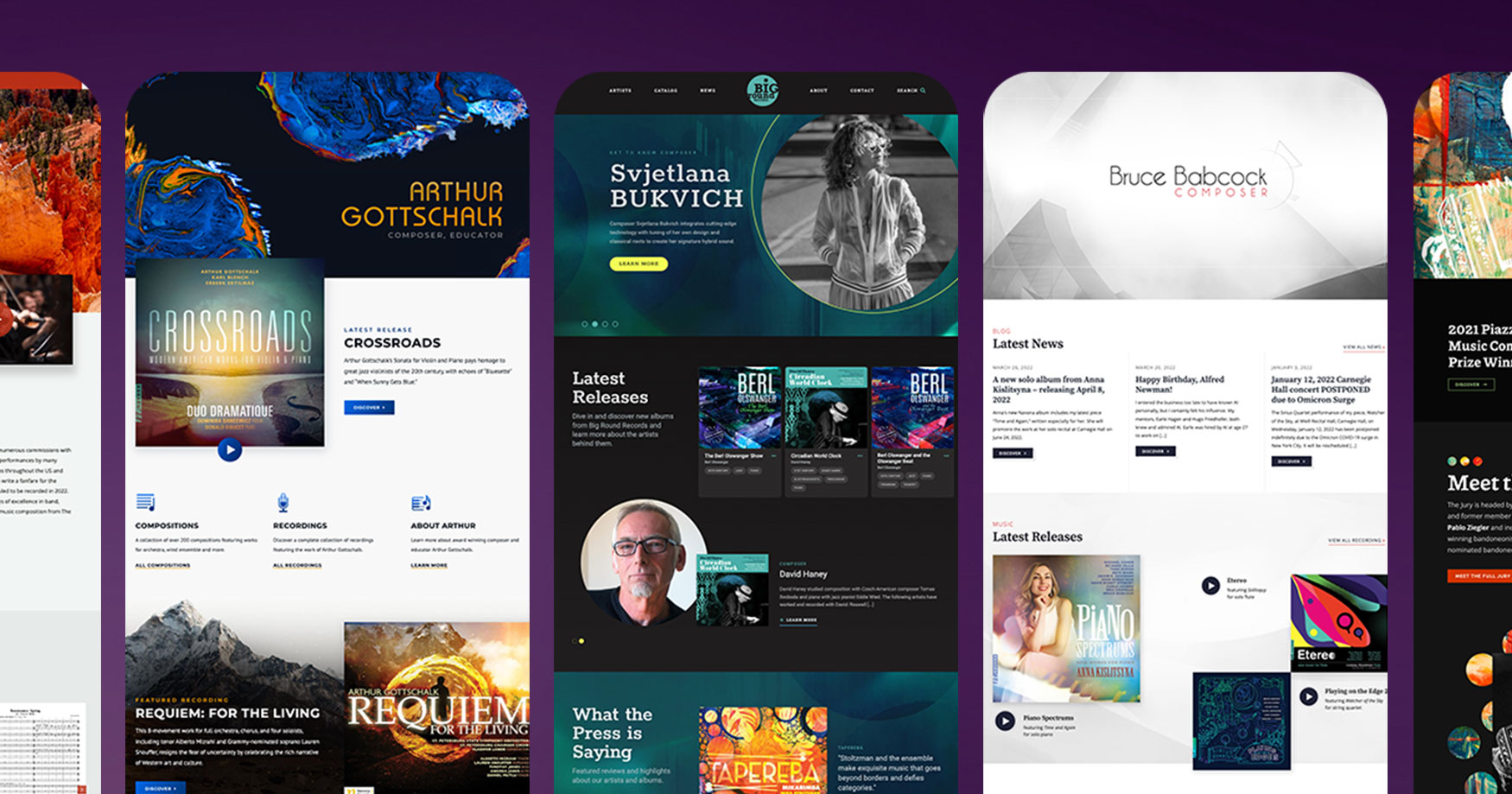
Designing a webpage is a crucial aspect of creating a successful online presence. The layout, color scheme, fonts, and overall aesthetic of a website play a significant role in attracting and engaging visitors. Here are some key elements to consider when designing your webpage:
- Layout: The layout of your webpage should be clean and organized to make it easy for visitors to navigate. Use headings, subheadings, and white space effectively to break up content and improve readability.
- Color Scheme: Choose a color scheme that reflects your brand identity and appeals to your target audience. Use colors strategically to highlight important elements such as buttons, links, and calls to action.
- Fonts: Select fonts that are easy to read on both desktop and mobile devices. Consider using different font styles for headings and body text to create visual hierarchy.
- Images and Graphics: Incorporate high-quality images and graphics that enhance the overall look of your webpage. Optimize images for web use to ensure fast loading times.
- Navigation: Make sure that your webpage has clear navigation menus that help visitors find the information they are looking for quickly and easily. Consider using dropdown menus or a sticky navigation bar for improved user experience.
- Responsive Design: Ensure that your webpage is responsive and displays correctly on all devices, including desktops, laptops, tablets, and smartphones. Test your design on different screen sizes to ensure compatibility.
- Call-to-Action (CTA): Include compelling CTAs throughout your webpage to encourage visitors to take specific actions, such as signing up for a newsletter or making a purchase.
By paying attention to these key elements when designing your webpage, you can create a visually appealing and user-friendly experience that engages visitors and drives conversions. Remember that good design is not just about aesthetics but also about functionality and usability.
Essential FAQs for Crafting an Effective Webpage Design
- 1. What is the importance of webpage design?
- 2. How can I create a visually appealing layout for my webpage?
- 3. What color schemes work best for webpage design?
- 4. Which fonts are recommended for optimal readability on webpages?
- 5. How do I choose images and graphics that complement my webpage design?
- 6. What are the best practices for creating user-friendly navigation on a webpage?
- 7. Why is responsive design important in webpage development?
- 8. How can I effectively use call-to-action buttons to improve conversions on my webpage?
1. What is the importance of webpage design?
The importance of webpage design cannot be overstated, as it plays a crucial role in shaping the overall user experience and influencing visitor behavior. A well-designed webpage not only attracts and retains visitors but also helps build credibility and trust with your audience. Effective webpage design enhances brand identity, communicates key messages clearly, and guides users through the content in a logical and intuitive manner. By focusing on elements such as layout, color scheme, fonts, navigation, and responsiveness, businesses can create a visually appealing and user-friendly online presence that drives engagement, conversions, and ultimately, business success.
2. How can I create a visually appealing layout for my webpage?
Creating a visually appealing layout for your webpage involves several key considerations. Start by choosing a cohesive color scheme that reflects your brand and appeals to your target audience. Utilize white space effectively to prevent visual clutter and make important elements stand out. Incorporate high-quality images and graphics that enhance the overall design aesthetic. Pay attention to typography by selecting fonts that are easy to read and complement your design theme. Lastly, ensure that your layout is responsive and optimized for different devices to provide a seamless user experience. By focusing on these elements, you can create a visually appealing layout that captures the attention of visitors and enhances the overall appeal of your webpage.
3. What color schemes work best for webpage design?
When considering color schemes for webpage design, it’s essential to choose colors that not only align with your brand identity but also resonate with your target audience. Generally, a harmonious color scheme that includes a primary color, secondary color, and accent color works best for webpage design. Neutral colors like white, black, and gray can serve as a backdrop to make other colors stand out. Additionally, using contrasting colors for text and background can improve readability. Remember that the emotions and associations evoked by different colors can impact how visitors perceive your website, so choose colors that convey the right message for your brand.
4. Which fonts are recommended for optimal readability on webpages?
When it comes to optimizing readability on webpages, certain fonts are recommended for their clarity and legibility across different devices. Sans-serif fonts like Arial, Helvetica, and Roboto are commonly used for body text due to their clean and straightforward appearance. These fonts are easy to read on screens of varying sizes and resolutions, making them ideal choices for enhancing the user experience. Additionally, serif fonts such as Times New Roman and Georgia can be effective for headings and subheadings, adding a touch of elegance while maintaining readability. Choosing the right fonts plays a crucial role in ensuring that content is easily accessible and engaging for website visitors.
5. How do I choose images and graphics that complement my webpage design?
Choosing images and graphics that complement your webpage design is essential for creating a visually appealing and cohesive look. When selecting visuals for your website, consider the overall theme and color scheme of your design. Look for images that align with your brand identity and messaging, and ensure they enhance the content rather than distract from it. Opt for high-quality photos and graphics that are relevant to your website’s purpose and resonate with your target audience. Pay attention to factors like image resolution, size, and format to ensure optimal loading speed and performance. By carefully curating images that harmonize with your webpage design, you can create a compelling visual experience that reinforces your brand message effectively.
6. What are the best practices for creating user-friendly navigation on a webpage?
When it comes to creating user-friendly navigation on a webpage, there are several best practices to keep in mind. Firstly, ensure that your navigation menu is clear, concise, and easy to understand. Use descriptive labels for each menu item to help visitors quickly identify where they want to go. Consider organizing your navigation items logically and hierarchically to make it intuitive for users to find their way around. Additionally, incorporate search functionality and breadcrumbs to provide alternative ways for users to navigate your site. Finally, optimize your navigation for mobile devices by using a responsive design that adapts seamlessly to different screen sizes. By following these best practices, you can create a user-friendly navigation experience that enhances overall usability and improves visitor satisfaction.
7. Why is responsive design important in webpage development?
Responsive design is crucial in webpage development because it ensures that websites are optimized for viewing on various devices, such as desktops, laptops, tablets, and smartphones. With the increasing use of mobile devices to access the internet, having a responsive design is essential to provide a seamless and user-friendly experience across all screen sizes. By adapting the layout and content of a webpage based on the device being used, responsive design improves usability, reduces bounce rates, and boosts overall user satisfaction. Additionally, search engines like Google prioritize mobile-friendly websites in their rankings, making responsive design important for SEO and ensuring that your webpage reaches a wider audience effectively.
8. How can I effectively use call-to-action buttons to improve conversions on my webpage?
One effective way to improve conversions on your webpage is by strategically using call-to-action buttons. To maximize their impact, ensure that your CTA buttons are visually prominent, with contrasting colors that make them stand out on the page. Use action-oriented language that clearly communicates the desired outcome, such as “Sign Up Now” or “Shop the Sale.” Additionally, place CTAs strategically throughout your webpage, including above the fold and at the end of key sections, to guide visitors towards taking the desired action. By optimizing the design and placement of your call-to-action buttons, you can enhance user engagement and drive conversions effectively.