
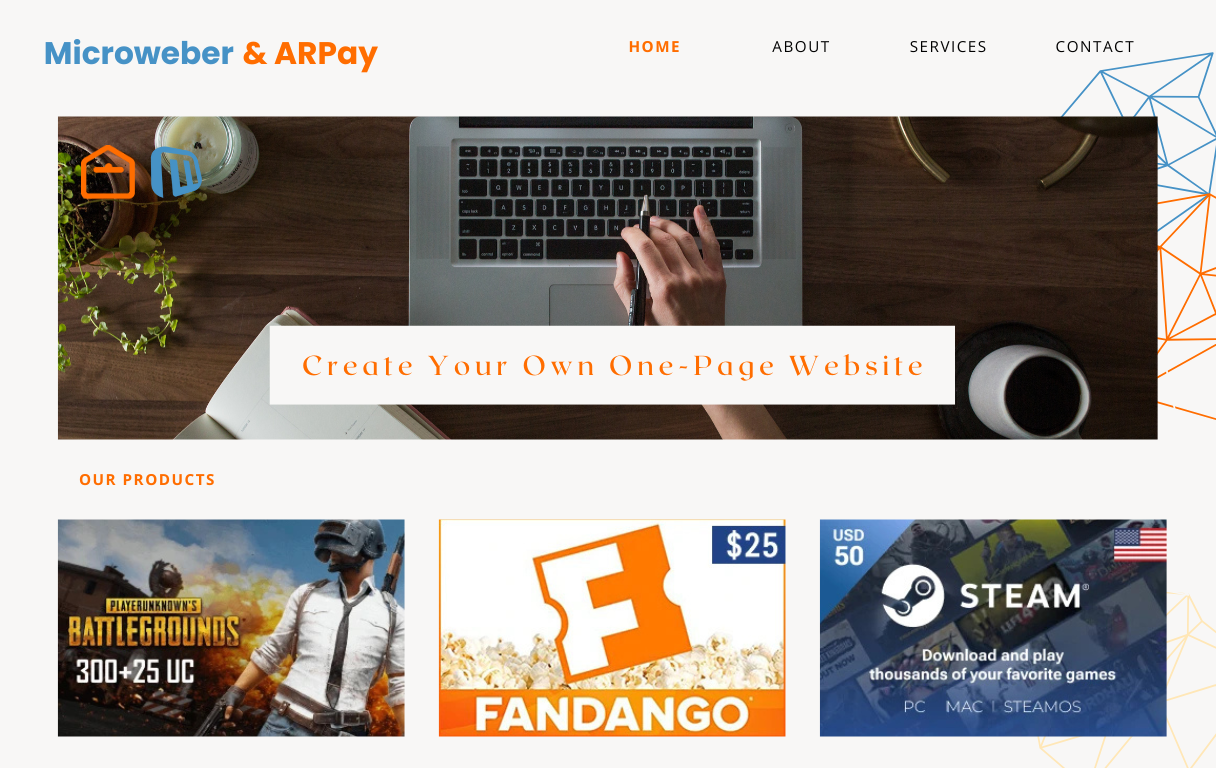
Design Your Own Website from Scratch
In today’s digital age, having a strong online presence is essential for individuals and businesses alike. One of the best ways to establish your presence on the web is by designing your own website from scratch. While this may sound like a daunting task, with the right tools and knowledge, creating a website can be a rewarding and fulfilling experience.
To design your own website, you will need to start by planning out the structure and layout of your site. Think about the purpose of your website and what you want to achieve with it. Consider what pages you will need, such as a homepage, about page, services or products page, and contact page.
Once you have a clear idea of the layout of your website, it’s time to start designing. You can use HTML to create the basic structure of your site. HTML (Hypertext Markup Language) is the standard language used to create web pages. It consists of tags that define different elements on a webpage, such as headings, paragraphs, images, links, and more.
For example, to create a simple webpage with a heading and paragraph text, you would use the following HTML code:
“`html
Welcome to My Website
This is where you can showcase your content and engage with your audience.
“`
You can further enhance the design of your website using CSS (Cascading Style Sheets) to style the layout and appearance of your site. CSS allows you to control things like colors, fonts, spacing, and more.
Once you have created the basic structure of your website using HTML and styled it with CSS, you can add interactivity using JavaScript. JavaScript allows you to make your site dynamic by adding features like interactive forms, image sliders, pop-up messages, and more.
Remember that designing a website is an ongoing process. Continuously update and improve your site based on user feedback and analytics data. Regularly check for broken links or outdated content to ensure that your website remains relevant and engaging for visitors.
By taking the time to design your own website from scratch, you can create a unique online presence that reflects your personality or brand effectively. Embrace creativity and experimentation in your design process to develop a website that stands out in today’s crowded digital landscape.
5 Essential Tips for Designing Your Own Website: From Planning to Visual Appeal
- Plan your website layout and structure before starting the design.
- Choose a color scheme that reflects your brand and is visually appealing.
- Ensure your website is mobile-responsive for optimal viewing on different devices.
- Use high-quality images and graphics to enhance the visual appeal of your website.
- Keep your content concise, engaging, and easy to read for visitors.
Plan your website layout and structure before starting the design.
Before diving into the design process of creating your own website, it is crucial to plan out the layout and structure beforehand. By taking the time to carefully consider the organization of your content and the navigation flow of your site, you can ensure a more cohesive and user-friendly experience for visitors. Planning your website layout in advance allows you to visualize how different elements will interact with each other and helps you establish a clear direction for your design approach. This thoughtful preparation sets a solid foundation for the rest of your design process, ultimately leading to a more polished and effective website.
Choose a color scheme that reflects your brand and is visually appealing.
When designing your own website, selecting a color scheme that not only aligns with your brand but also captivates visitors is crucial. Colors have the power to evoke emotions and convey messages, making them a vital aspect of your website’s design. By choosing a color palette that reflects your brand identity and is visually appealing, you can create a cohesive and memorable online presence that resonates with your audience. Consistency in color usage across your website can help reinforce brand recognition and establish a strong visual identity that sets you apart from the competition.
Ensure your website is mobile-responsive for optimal viewing on different devices.
It is crucial to ensure that your website is mobile-responsive to provide an optimal viewing experience on various devices. With the increasing use of smartphones and tablets, having a mobile-friendly design is essential to reach a wider audience and improve user engagement. By implementing responsive design techniques, your website will adapt seamlessly to different screen sizes and resolutions, ensuring that visitors can easily navigate and access your content regardless of the device they are using. Prioritizing mobile responsiveness not only enhances user experience but also boosts your site’s search engine rankings, as search engines like Google favor mobile-friendly websites in their results.
Use high-quality images and graphics to enhance the visual appeal of your website.
Utilizing high-quality images and graphics is essential to enhance the visual appeal of your website. Visually engaging content not only captures the attention of visitors but also helps convey your brand’s message effectively. By incorporating crisp, professional images and eye-catching graphics, you can create a visually appealing website that leaves a lasting impression on your audience. Remember, first impressions matter, and stunning visuals can significantly impact how users perceive your website and brand overall.
Keep your content concise, engaging, and easy to read for visitors.
When designing your own website, it is crucial to keep your content concise, engaging, and easy to read for visitors. By presenting information in a clear and straightforward manner, you can capture the attention of your audience and keep them engaged with your site. Avoid long paragraphs or complicated language that may overwhelm or confuse visitors. Instead, focus on delivering valuable content that is easy to digest and leaves a lasting impression on your audience. Remember, quality content is key to creating a positive user experience and encouraging visitors to explore more of what your website has to offer.