
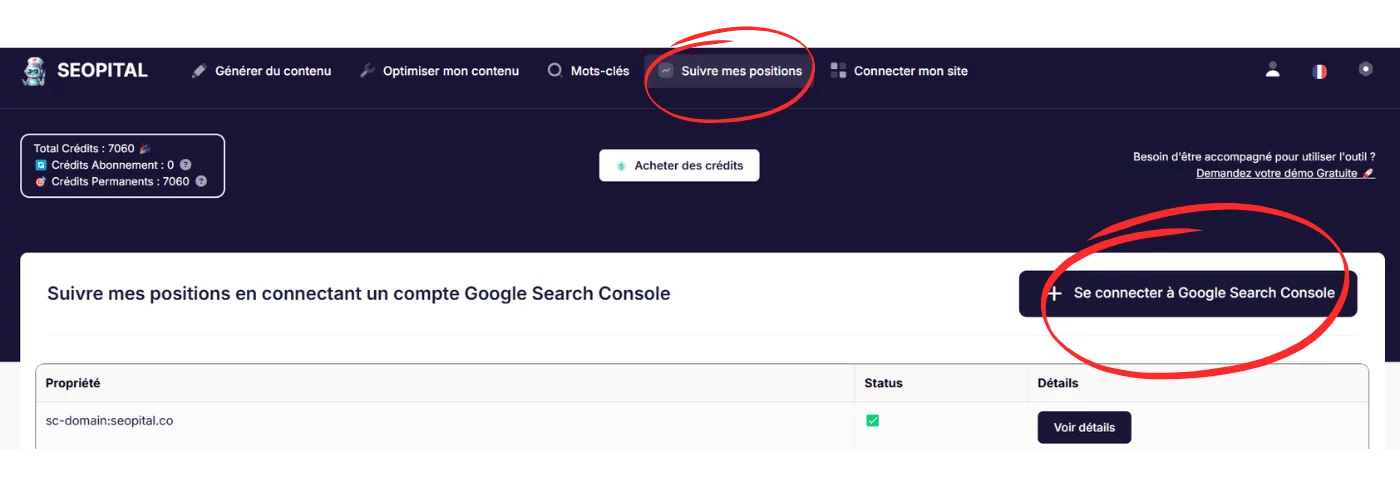
Website Ranking Checker: How to Track Your Search Performance
A website ranking checker helps you see where a website appears in search results for specific keywords. Whether you manage a business website, publish a blog, or work in search engine optimization (SEO), checking rankings can reveal which pages are gaining visibility and where there may be room to improve.
Search rankings are only one part of SEO, but tracking them consistently can help you make better decisions about content, technical improvements, and your overall strategy.
What Is a Website Ranking Checker?
A website ranking checker is a tool that checks a webpage’s position in search engine results for a chosen keyword or search phrase. For example, it might show whether a page appears near the top of the results for “plant-based meal planning” or farther down the page.
Depending on the tool, you may be able to check rankings across different search engines, devices, countries, or cities. Some tools provide a one-time snapshot, while others track keyword positions over time and show changes in reports or charts.
Why Check Website Rankings?
Ranking data can help answer practical questions about your website’s search performance. It can show whether a page is becoming more visible, whether a recent update coincides with a ranking change, or whether a keyword is worth targeting.
- Measure SEO progress: Monitor how selected keywords perform over weeks or months.
- Find optimization opportunities: Identify relevant keywords for which your pages appear but could be more prominent.
- Evaluate content updates: Observe how rankings change after revising a page, while remembering that many factors can affect the results.
- Compare locations and devices: Check how visibility differs between local areas or desktop and mobile searches.
- Monitor competitors: Some tools allow you to compare your keyword visibility with that of other websites.
How to Use a Website Ranking Checker
- Choose target keywords. Select search phrases that are relevant to your products, services, or content. Include a mix of broad topics and more specific phrases.
- Enter the website and search settings. Depending on the tool, you may need to provide a domain or page URL, search engine, country, city, and device type.
- Review the results. Note the ranking position, the page that appears, and any changes compared with earlier checks.
- Look for patterns. A single movement may not mean much. Consider trends across several keywords and a reasonable period of time.
- Decide on a next step. Use the findings to investigate search intent, improve useful content, strengthen internal links, or address technical issues.
What to Look for in a Ranking Checker
Ranking tools vary in their coverage and features. When choosing one, consider what information is important for your website and how often you need to check it.
- Location targeting: Useful for businesses serving particular cities, regions, or countries.
- Mobile and desktop data: Search results can differ by device, so separate reporting may be helpful.
- Historical tracking: Trend data makes it easier to distinguish a lasting change from a temporary fluctuation.
- Page-level results: Knowing which URL ranks can help identify whether the right page is appearing for a query.
- Competitor comparisons: Helpful for understanding how your visibility compares with other sites targeting similar searches.
- Clear reporting: Straightforward charts and exports can make results easier to share and act on.
Why Ranking Results May Differ
Search results are not always identical for every person. Rankings can vary based on location, device, language, search settings, and changes to search engine systems. Personalization and the layout of the results page can also affect what users see.
For this reason, a ranking checker should be treated as a source of useful estimates and trends rather than a perfect record of every user’s search experience. Use consistent settings when comparing results, and avoid drawing conclusions from one check alone.
Rankings Are Not the Only SEO Metric
A high position can increase a page’s opportunity to be seen, but it does not guarantee visits, engagement, or sales. Search results may include maps, featured answers, images, videos, shopping listings, and other features that affect clicks.
For a fuller picture, review rankings alongside metrics such as:
- Impressions: How often a page appears in search results.
- Clicks and click-through rate: How often searchers visit the page after seeing it.
- Organic traffic: Visits that arrive from unpaid search results.
- Conversions: Actions that matter to the organization, such as purchases, inquiries, or sign-ups.
Common Ranking-Tracking Mistakes
- Checking too frequently: Daily changes can be noisy. Set a regular schedule that fits your goals.
- Tracking too many keywords: Focus first on phrases that match your audience and business priorities.
- Ignoring search intent: A page may struggle if it does not answer what searchers are looking for, even if it includes the target phrase.
- Assuming every change is caused by an edit: Competitors, search updates, seasonality, and other factors can influence rankings.
- Focusing only on position: Pair ranking data with traffic and conversion measures to understand real-world impact.
Frequently Asked Questions
Can a website ranking checker show rankings by city?
Some tools support city-level or regional tracking. This can be especially useful for local businesses, but the available locations and level of detail vary by provider.
How often should rankings be checked?
For many websites, checking weekly or monthly is enough to identify meaningful trends. The right schedule depends on how frequently the site changes and how competitive its search topics are.
Is a ranking checker enough to measure SEO success?
No. Rankings provide one useful signal, but they do not show the full effect of search visibility. Combine them with impressions, clicks, organic traffic, and conversions.
Why does a ranking checker show a different position from a manual search?
Results may differ because of location, device, personalization, timing, or the tool’s data collection method. For more consistent comparisons, use the same settings each time and focus on longer-term trends.
Make Ranking Data Useful
A website ranking checker is most valuable when it supports a clear SEO process. Choose relevant keywords, track them consistently, and use the results to investigate opportunities—not as a score to chase in isolation. When ranking trends are considered alongside helpful content, technical health, traffic, and conversions, they can offer a more useful view of a website’s performance in search.
Website Ranking Checker FAQs: SEO Rankings, Google Positions, and How to Check Them
- What is my SEO ranking?
- How can I check website ranking?
- What is the Google page ranking?
- How do you rank websites?
What is my SEO ranking?
Your SEO ranking is your website’s position in search results for a specific keyword or search query. Because rankings can vary by search engine, location, device, and time, there isn’t one single SEO ranking for an entire website. Use a website ranking checker to see where specific pages appear for the keywords you care about, and track those results over time. For a fuller picture of SEO performance, also review impressions, clicks, organic traffic, and conversions.
How can I check website ranking?
To check your website ranking, choose the keywords you want to track and enter your website URL, target search engine, location, and device into a website ranking checker. The tool will estimate where your pages appear in search results for those terms. For a broader view, compare rankings over time and review search impressions, clicks, and organic traffic as well. Search results can vary by location and device, so use consistent settings and treat rankings as one part of your SEO performance—not the only measure of success.
What is the Google page ranking?
Google page ranking refers to how prominently a webpage appears in Google search results for a particular query. People often use the term to mean a page’s search position—for example, ranking first on the results page—but it can also refer to Google’s PageRank algorithm, one of many systems historically used to evaluate the importance of links between pages. Today, Google uses numerous signals to rank results, and positions can vary by search query, location, device, and time. A website ranking checker can help track estimated positions, but rankings are only one measure of search performance and should be considered alongside clicks, traffic, and conversions.
How do you rank websites?
Websites are ranked by search engines based on how well their pages match a searcher’s intent, along with factors such as content quality, relevance, site usability, page speed, mobile experience, and links from other reputable sites. Rankings can also vary by location, device, and search query. A website ranking checker doesn’t decide a site’s position; it estimates where a page appears for selected keywords and search settings.