
Design Your Website: A Guide to Creating a Stunning Online Presence
Creating a website is more than just putting together a few pages with text and images. It’s about designing an online presence that reflects your brand, engages your audience, and drives results. Whether you’re building a website for your business, blog, portfolio, or online store, here are some key steps to help you design a website that stands out:
Define Your Goals
Before you start designing your website, it’s important to define your goals. What do you want to achieve with your website? Are you looking to increase sales, generate leads, showcase your work, or provide information? Understanding your goals will help you create a design that aligns with your objectives.
Choose the Right Platform
There are many platforms available for building websites, such as WordPress, Wix, Squarespace, and Shopify. Choose a platform that suits your needs in terms of customization options, ease of use, and scalability. Consider factors like budget, technical expertise, and future growth when selecting a platform.
Create a User-Friendly Layout
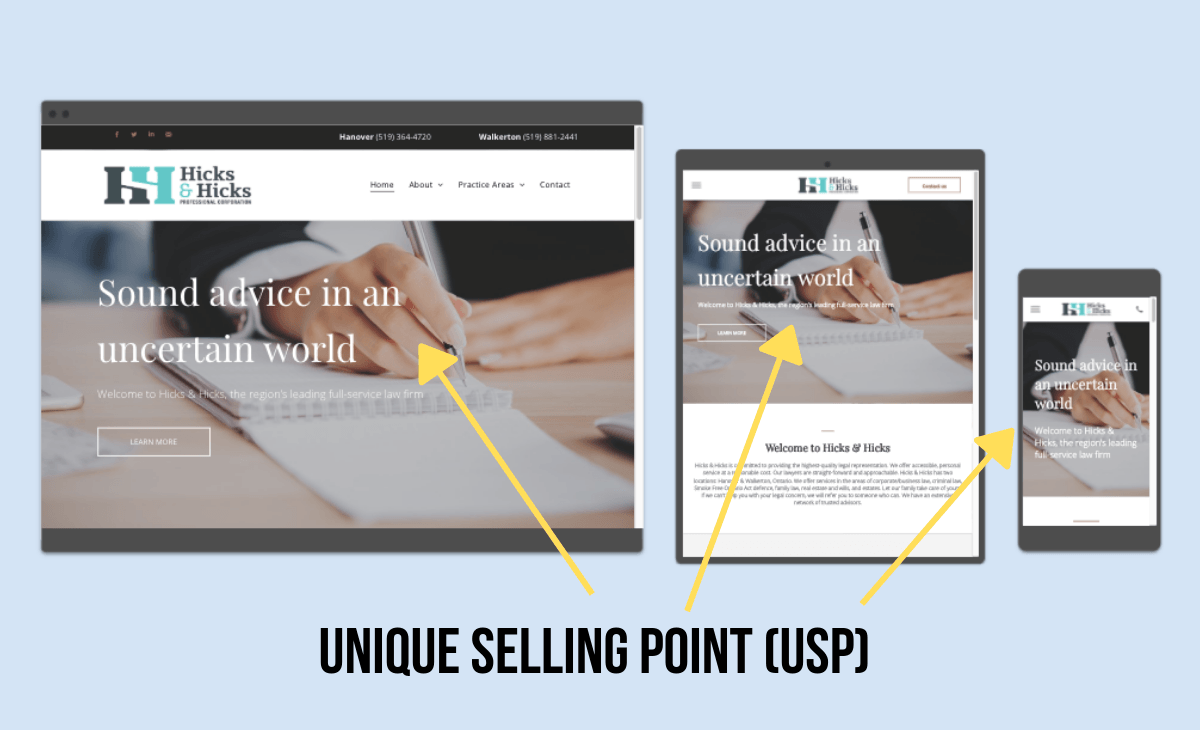
A user-friendly layout is essential for guiding visitors through your website and helping them find the information they need. Organize your content logically and use clear navigation menus to make it easy for users to explore your site. Consider using responsive design to ensure that your website looks great on all devices.
Select the Right Color Scheme and Fonts
The colors and fonts you choose can have a significant impact on the look and feel of your website. Select a color scheme that complements your brand identity and conveys the right message to your audience. Choose fonts that are easy to read and reflect the tone of your content.
Incorporate High-Quality Images and Videos
Visual content plays a crucial role in capturing the attention of visitors and conveying information effectively. Use high-quality images and videos that showcase your products or services in the best light. Optimize media files for faster loading times without compromising quality.
Add Call-to-Action Buttons
Include clear call-to-action buttons throughout your website to prompt visitors to take specific actions, such as making a purchase, signing up for a newsletter, or contacting you. Use compelling language and design elements to make these buttons stand out.
Optimize for SEO
Optimizing your website for search engines is essential for attracting organic traffic. Use relevant keywords in your content, meta tags, and image descriptions. Create unique page titles and meta descriptions for each page to improve visibility in search engine results.
Test Your Design
Before launching your website, test its design across different browsers and devices to ensure compatibility and responsiveness. Check for broken links, typos, slow loading times, and other issues that could affect user experience. Gather feedback from friends or colleagues to identify areas for improvement.
By following these steps and paying attention to detail in every aspect of design process,
you can create an engaging
and visually appealing
website
that effectively communicates
your message
and achieves
your goals.
Whether you’re starting from scratch or redesigning an existing site,
putting thought into each element of the design will help you stand out in the crowded online landscape.
Remember: good design is not just about aesthetics; it’s about creating an experience that resonates with
your audience
and drives results.
Happy designing!
Top 7 FAQs About Designing Your Own Website: Costs, Tools, and Tips
- Can I design a website for free?
- Is Wix actually free?
- What are the 7 C’s of a website?
- How much does it cost to hire someone to design your website?
- How do I design my own website?
- How can I design my own website?
- Can ChatGPT design a website?
Can I design a website for free?
Yes, you can design a website for free using various website builders and platforms that offer free plans. Many website builders like Wix, Weebly, and WordPress.com provide free options with limited features and branding. While these free plans are a great starting point for beginners or those on a tight budget, keep in mind that there may be limitations in terms of customization, domain name options, storage space, and the ability to remove ads. Upgrading to a paid plan usually unlocks more features and flexibility to design your website according to your needs and preferences.
Is Wix actually free?
One frequently asked question when it comes to designing a website is, “Is Wix actually free?” Yes, Wix does offer a free plan that allows users to create a basic website with Wix branding. However, for those looking for more advanced features and customization options, Wix offers premium plans at varying price points. These paid plans unlock additional functionalities such as using a custom domain, removing Wix ads, and accessing more design templates and tools. So while Wix does have a free option, users may need to upgrade to a paid plan to fully utilize the platform’s capabilities and create a professional-looking website.
What are the 7 C’s of a website?
The 7 C’s of a website refer to the key elements that contribute to a successful and effective online presence. These elements include: content, clarity, consistency, credibility, customization, connectivity, and compliance. By focusing on these seven aspects when designing a website, you can create a user-friendly experience that engages visitors, builds trust, and drives desired actions. Each “C” plays a crucial role in shaping the overall design and functionality of a website, helping to ensure that it meets the needs of both users and business objectives.
How much does it cost to hire someone to design your website?
The cost of hiring someone to design your website can vary significantly depending on various factors such as the complexity of the design, the expertise of the designer, the size of the website, and additional services required. On average, hiring a professional web designer can range from a few hundred dollars to several thousand dollars. It is essential to discuss your specific needs and budget with potential designers to get accurate quotes and ensure that you are getting a fair price for the services provided. Keep in mind that investing in a well-designed website can have a significant impact on your online presence and business success in the long run.
How do I design my own website?
Designing your own website can be a rewarding process that allows you to showcase your unique style and brand identity online. To design your own website, start by defining your goals and target audience to guide the overall look and feel of your site. Choose a user-friendly platform that suits your needs and offers customization options. Create a layout that is easy to navigate, incorporate high-quality visuals, select a color scheme that reflects your brand, and optimize for search engines. Remember to test your design across different devices and gather feedback to ensure a seamless user experience. With careful planning and attention to detail, you can create a website that effectively communicates your message and achieves your goals.
How can I design my own website?
Designing your own website can be a rewarding and empowering experience. To start, define your goals and target audience to guide the design process. Choose a user-friendly platform like WordPress or Wix, and select a suitable template that aligns with your brand identity. Customize the layout, color scheme, fonts, and content to create a visually appealing and cohesive website. Incorporate high-quality images, videos, and call-to-action buttons to engage visitors effectively. Optimize your site for SEO to improve visibility in search engine results. Finally, test your design across various devices and gather feedback to ensure a seamless user experience. With careful planning and attention to detail, you can design a professional-looking website that reflects your unique style and achieves your objectives.
Can ChatGPT design a website?
ChatGPT can certainly assist in the process of designing a website by offering guidance, tips, and best practices. It can help brainstorm ideas for layout, color schemes, and content organization, as well as suggest tools and platforms that might be suitable for your needs. Additionally, ChatGPT can provide code snippets and explain HTML, CSS, and JavaScript concepts to help you implement specific features. However, it does not have the capability to directly create or visually design a website. The actual design work would need to be carried out using web design software or platforms by a designer or developer.